

Please Choose Your Language
Views: 0 Author: Site Editor Publish Time: 2026-09-25 Origin: Site


The leap from manual inspection to automated machine vision demands flawless hardware. At the heart of this operational shift lies sensor architecture. An area scan camera captures a complete 2D image—a full matrix of pixels—in a single, instantaneous exposure. This precise capability makes it the undisputed default standard for observing discrete objects across modern production environments. As manufacturing speeds surge and tolerances shrink, selecting the correct optical equipment becomes absolutely essential. We developed this technical evaluation guide specifically for system integrators, quality engineers, and procurement managers. You need reliable data to finalize your vision system architecture. In the following sections, you will learn the core mechanics of 2D imaging and explore its most critical industrial applications. We also share exact evaluation criteria and highlight common implementation risks to ensure your next deployment succeeds without costly delays.
Area scan cameras capture an entire 2D field of view in one exposure, ideal for inspecting discrete, stationary, or moderately moving parts.
Core applications include dimension measurement, OCR/barcode reading, defect detection, and robotic guidance.
When evaluating, resolution, frame rate, and interface (GigE, USB3) must be matched to the specific inspection cycle time and Field of View (FOV) requirements.
Implementation success relies heavily on mitigating motion blur via global shutters and ensuring proper sensor-to-lens optical matching.
Every machine vision area scan camera relies on a precisely engineered two-dimensional pixel array. You can picture this array as a grid. It features a specific width and height, such as 1920 by 1080 pixels. During an exposure cycle, this entire matrix collects incoming photons simultaneously. This simultaneous collection generates a complete image frame at once. You capture the full geometric context of an object instantly. This spatial awareness allows software algorithms to analyze shapes, boundaries, and surface textures without waiting for multiple line scans to stitch together.
Shutter technology defines how a sensor reads light. You must understand this distinction to prevent inspection failures. A rolling shutter exposes the pixel array row by row. If an object moves rapidly down a conveyor belt during this process, the resulting image distorts. Engineers call this the "jello effect." The top of the object appears physically detached or slanted relative to the bottom.
Global shutters solve this problem entirely. They expose every single pixel in the entire matrix at the exact same microsecond. Global shutters are strictly mandatory in automated industrial applications. They freeze motion completely. This ensures moving production lines yield crisp, geometrically accurate images for analysis.
Industrial imaging has shifted dramatically over the past decade. Legacy systems relied heavily on Charge-Coupled Device (CCD) sensors. CCDs offered excellent image uniformity but suffered from slow readout speeds and high power consumption. Today, modern Complementary Metal-Oxide-Semiconductor (CMOS) sensors dominate the landscape.
Modern CMOS technology converts charge to voltage directly at the pixel level. This architectural change delivers massive improvements. You get enhanced quantum efficiency, which means the sensor converts light into electronic signals more effectively. Furthermore, modern CMOS architecture significantly reduces thermal noise, allowing for cleaner images even in high-speed, low-light environments.
Automated quality assurance remains the most prevalent use case. Manufacturers deploy an industrial vision inspection camera to identify anomalies on discrete manufactured parts. You might use them to spot surface scratches on automotive brackets or detect missing solder bumps on PCB components. The system compares the acquired image against a known "golden" standard.
Success Criterion: You must minimize both false positives and false negatives. You achieve this through highly consistent directional lighting and by specifying sufficient optical resolution. If your lighting fluctuates, the algorithm will reject perfectly good parts.
Robotic arms cannot operate blindly. Vision systems provide the critical "eyes" for pick-and-place robotics and automated assembly cells. The camera captures an image of a part randomly oriented on a conveyor. It then calculates the exact X-Y coordinates and rotational data (theta).
Success Criterion: Low-latency image acquisition and rapid processing handoff define success here. The robot requires position data in milliseconds. Any lag in image transmission or processing will bottleneck the entire assembly sequence.
Supply chains rely on absolute traceability. 2D vision systems excel at decoding complex information embedded on products. They read 1D barcodes and 2D matrix codes at high speeds. They also perform Optical Character Recognition (OCR) to read alphanumeric text. You see this application everywhere, from pharmaceutical packaging verification to tracking individual semiconductor wafers through cleanrooms.
Quality engineers frequently use 2D imaging to measure part tolerances against strict CAD specifications. The software calculates distances between edges, hole diameters, and precise angles directly from the pixel data.
Limitation Note: Standard lenses introduce perspective distortion. Objects closer to the lens appear larger. While effective for general checks, highly precise gauging often requires specialized telecentric lenses. Telecentric optics completely eliminate parallax error, ensuring measurements remain perfectly accurate regardless of slight variations in object depth.
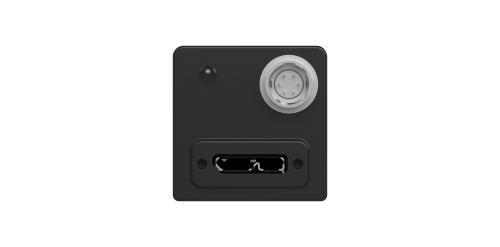
Choosing between imaging architectures dictates the physical footprint of your inspection station. Both technologies serve vital, yet entirely distinct, purposes in manufacturing.
You should default to a 2D matrix architecture when specific operational conditions align. Consider these indicators:
Target objects are discrete items: You are inspecting individual bottles, cardboard boxes, stamped metal parts, or PCBs.
The object fits the FOV: The entire region of interest comfortably fits within the required Field of View in a single frame.
Standard environments: You have a straightforward setup environment where standard ring lights, bar lights, or dome lights can be deployed easily.
Despite their versatility, 2D matrices hit hard limitations in certain scenarios. You must pivot to line scan technology when facing the following conditions:
Continuous "web" materials: You cannot use a 2D frame to inspect continuous rolls of textiles, paper, steel coils, or plastic film. Line scan cameras build a continuous image row by row as the material flows endlessly.
Unwrapped cylindrical objects: Inspecting the complete 360-degree surface of cans or tubes requires spinning the object in front of a line scanner. A 2D camera would capture distorted edges due to the curvature.
Severe spatial constraints: Confined machine spaces often cannot accommodate a large 2D sensor and its correspondingly bulky lens. Line scan systems squeeze through narrow optical viewing gaps to inspect parts.
Table 1: Area Scan vs. Line Scan Architecture Comparison
Feature | Area Scan Architecture | Line Scan Architecture |
|---|---|---|
Sensor Layout | 2D Matrix (Width x Height) | 1D Linear Array (Single row of pixels) |
Ideal Target | Discrete objects (bottles, PCBs, parts) | Continuous webs or rotating cylinders |
Lighting Complexity | Generally straightforward (Ring, Dome) | Highly focused, intense line lighting needed |
Space Requirements | Requires clear overhead viewing area | Can view through narrow mechanical gaps |
Selecting the right sensor resolution dictates the overall accuracy of your system. To select a high-speed area scan camera, you must link your Field of View to the smallest feature size you need to detect. We recommend a formulaic approach. You need at least 3 to 4 pixels to reliably detect a flaw edge. Here is how you calculate it:
Determine your maximum physical Field of View (e.g., 100 mm).
Identify the smallest flaw size required to be detected (e.g., 0.1 mm).
Divide the FOV by the flaw size (100 / 0.1 = 1000 pixels).
Multiply by a safety factor of 3 for edge detection (1000 x 3 = 3000 pixels).
You would need a sensor with at least 3000 pixels across its primary axis. However, you must avoid over-specifying resolution. Purchasing a 20-megapixel sensor for a task that requires only 5 megapixels unnecessarily bottlenecks processing speeds and strains network bandwidth.
Throughput dictates your frame rate requirement. You must balance the Frames Per Second (FPS) with the production line's exact cycle time. If your conveyor produces 10 parts per second, your hardware must comfortably exceed 10 FPS while leaving overhead for processing time. Higher resolution sensors typically offer lower maximum frame rates. You must find the optimal intersection between pixel density and acquisition speed.
Image data must travel from the sensor to the processing unit efficiently. The interface you choose fundamentally impacts latency and cable length flexibility.
GigE Vision: This remains the industry standard. It is best for long cable runs (up to 100 meters) and seamless factory network integration. It handles moderate to high bandwidths effectively.
USB3 Vision: Choose this for plug-and-play simplicity. It offers exceptionally high bandwidth and low latency over short distances (typically under 5 meters).
CoaXPress / Camera Link: Reserve these protocols for extreme edge cases. They are necessary only when handling ultra-high-speed applications or massive resolution sensors that exceed standard network capabilities.
Novice engineers often assume color vision is superior. In industrial inspection, this is rarely true. You should advise your team to default to monochrome sensors for standard defect detection and measurement tasks. Monochrome pixels capture photons without filtering them through a Bayer pattern. This results in significantly higher image sharpness, better edge definition, and superior light sensitivity. You should specify color units only when color differentiation itself is the specific inspection variable (e.g., sorting red pills from blue pills).
Motion blur destroys measurement accuracy. You must calculate maximum exposure times based on line speed to prevent it. If a part moves 1000 millimeters per second, and your allowable blur is 0.05 millimeters, your exposure time cannot exceed 50 microseconds. In reality, freezing motion at these microsecond levels starves the sensor of light. High-intensity strobed lighting is almost always required to flood the FOV with photons during that microscopic exposure window.
Integration fails quickly when optical physics are ignored. A severe risk involves pairing a large-format area sensor (e.g., a 1-inch sensor) with an undersized lens (e.g., a 2/3-inch format lens). This mismatch causes vignetting. The image will exhibit heavily darkened corners and severe inspection blind spots at the edges. You must ensure the lens format diameter equals or exceeds the physical diagonal measurement of the sensor.
High-resolution, high-framerate captures generate massive data payloads. A 12-megapixel sensor running at 60 frames per second creates enormous network traffic. The reality is that your PC architecture must handle this stream. Note the absolute necessity of pairing high-throughput setups with adequate IPC (Industrial PC) processing power, complete with dedicated vision accelerators or GPUs. Alternatively, you might consider smart cameras for decentralized processing, which analyze the image locally and send only small text strings to the central system.
Area scan cameras remain the foundational tool for discrete part inspection across modern manufacturing. They offer unmatched geometric context in a single instantaneous frame. By understanding the interplay between sensor resolution, global shutters, and interface bandwidth, you can design highly resilient automation cells. However, improper optical pairing or ignored motion blur dynamics can cripple even the most expensive hardware.
Before full-scale procurement, we highly recommend conducting a physical Proof of Concept (PoC) using sample parts. Test your proposed lighting geometries and physically verify your resolution calculations. Real-world testing often reveals subtle glare or texture issues unseen in CAD models. Direct your engineering teams to utilize comprehensive camera selector tools, download technical whitepapers, or schedule a hands-on consultation with a dedicated vision engineer to finalize your architectural design.
A: Yes, they excel at inspecting moving objects when configured correctly. You must utilize global shutters, which expose all pixels simultaneously to prevent distortion. Furthermore, you will need extremely short exposure times paired with high-intensity strobed lighting to freeze the motion entirely.
A: Standard cameras act as dedicated image acquisition devices; they transmit raw, uncompressed image data to an external Industrial PC for analysis. Smart cameras integrate the sensor, processor, and software into one housing. They process the image onboard and output only a discrete pass/fail signal or simple coordinate data.
A: You must match the lens format to the physical sensor size to avoid dark corners (vignetting). Next, select the focal length based on your desired working distance and required Field of View. Finally, consider using specialized telecentric lenses if your application demands highly precise, parallax-free dimensional measurements.


