

Please Choose Your Language
Views: 0 Author: Site Editor Publish Time: 2026-09-29 Origin: Site


Selecting the wrong camera creates disastrous engineering realities. You face bottlenecked production lines, false rejects, and catastrophic data bandwidth failures. This happens constantly in factory automation. We need a pragmatic, mathematical approach to hardware selection. This guide moves beyond basic product definitions. It provides a risk-aware framework for matching camera specifications to precise machine vision applications. You will learn predictable integration strategies. You will discover how to achieve reliable defect detection at target cycle times. By following these steps, you ensure optimal hardware synergy across your entire inspection setup. Let us dive into the core principles of vision system engineering.
Required resolution is strictly dictated by Field of View (FOV) and minimum defect size, not arbitrary megapixel counts.
Interface selection (GigE vs. USB3.0) must balance required bandwidth against cable length constraints and factory floor environments.
A modern CMOS industrial area scan camera with global shutter is the baseline for moving targets, but sensor format must perfectly align with lens specifications to avoid vignetting.
Total system reliability depends heavily on thermal management, trigger latency, and robust PLC integration.
You cannot select hardware without a defined mathematical foundation. Many engineers rush into camera specifications before defining the physical constraints of their inspection station. We must reverse this habit. You must start by mapping the mechanical reality of your production line.
First, document the exact Field of View (FOV) your application demands. This is the physical area the camera must see to capture the part completely. Next, measure the Working Distance (WD). This is the clearance between the camera lens and the target object. Finally, calculate the required Depth of Field (DOF). You need enough DOF to keep parts in sharp focus, even if they vibrate or vary slightly in height on the conveyor belt.
You must define the absolute smallest defect you need to detect. Specify this feature in millimeters or micrometers. Standard machine vision practice requires mapping at least three to four pixels to this smallest defect. If you map only one pixel to a defect, edge blur or noise can easily hide it. We rely on sub-pixel interpolation in software, but hardware resolution must still provide a solid baseline. Mapping multiple pixels guarantees sufficient contrast for your measurement algorithms.
You need to quantify your parts-per-minute (PPM) rate. Measure the exact physical speed of the object in motion. This metric establishes your minimum required frame rate. It also dictates your maximum acceptable exposure time. If your exposure time exceeds the duration it takes for the object to move one pixel, you get motion blur. Motion blur destroys edge contrast, leading to false rejects.
Always add a 10% buffer to your FOV to account for part placement variations.
Measure object speed at its peak velocity, not just the average conveyor speed.
Verify lighting intensity early, as short exposure times require immense illumination.
Sensor technology dictates the fundamental image quality of your system. You must navigate a maze of marketing terminology to find the right physical sensor for your application.
Legacy CCD sensors once dominated machine vision. Today, they are largely obsolete. A modern CMOS industrial area scan camera represents the current industry standard. CMOS sensors deliver significantly higher frame rates. They offer superior quantum efficiency and far lower image noise. They also consume less power and generate less heat. We specify CMOS exclusively for all new automated inspection deployments.
Shutter type determines how the sensor reads light. This choice makes or breaks applications involving motion.
Global Shutter: This exposes every pixel on the sensor simultaneously. It freezes motion instantly. Global shutter is absolutely mandatory for moving parts. It prevents motion blur and eliminates geometric distortion.
Rolling Shutter: This reads the sensor row by row. If the object moves during this read-out process, the image warps. Rolling shutter sensors are cheaper. However, they are acceptable only for strictly stationary object inspection where you must prioritize budget constraints.
Sensor Shutter Type Comparison
Shutter Type | Exposure Method | Best Application | Major Risk |
|---|---|---|---|
Global Shutter | All pixels simultaneously | High-speed conveyors, robotics | Slightly higher initial hardware cost |
Rolling Shutter | Row-by-row sequential | Stationary part measurement | Severe geometric distortion on moving parts |
Do not guess your resolution. Use exact mathematics. We use a standard formula across the industry to determine the absolute minimum pixel count required for an inspection task.
Formula: (FOV / Minimum Defect Size) × Pixel Multiplier = Minimum Required Pixels
For example, if your FOV is 100mm, your defect is 0.1mm, and you want 3 pixels per defect: (100 / 0.1) × 3 = 3000 pixels. You would need a sensor with at least 3000 pixels across that axis. Do not buy a 20-megapixel camera if the math says you only need 5 megapixels.
Engineers often chase high megapixel counts while ignoring pixel size. This is a massive mistake. Larger individual pixels (e.g., 4.5µm or larger) capture significantly more light. They yield superior light sensitivity and wider dynamic range. If you select a massive megapixel sensor crammed into a small physical format, the microscopic pixels will struggle in factory lighting. You will suffer from image noise unless you invest heavily in high-intensity strobe lights.
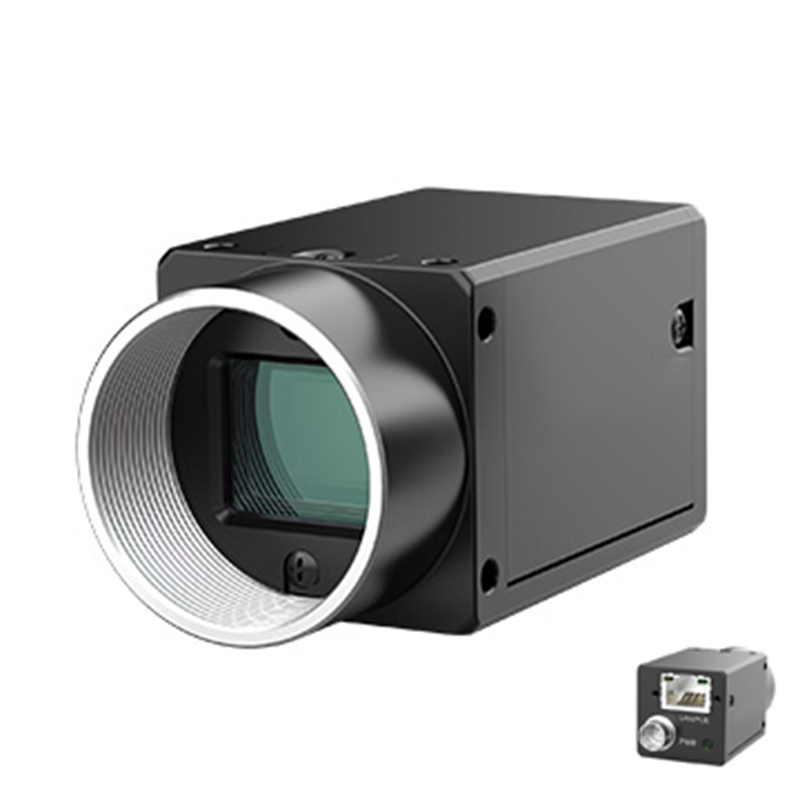
Moving image data from the sensor to your processing PC is a major bottleneck. The interface you choose dictates cable lengths, frame rates, and CPU load.
GigE Vision is a massively popular standard for industrial environments. It allows cable lengths up to 100 meters. This standard utilizes affordable, widely available Ethernet infrastructure. It also supports Power over Ethernet (PoE). This eliminates the need for a separate power cable, simplifying integration.
GigE is best for large manufacturing cells, automated robotics, and networked factory environments. When planning typical factory floor integrations, you will frequently specify a standard GigE area scan camera. If your inspection requires high resolution at rapid frame rates, a standard 1 Gigabit connection may choke. In these cases, you must upgrade your network topology to 5GigE or 10GigE cameras for heavier data loads.
USB3.0 offers completely different advantages. It provides plug-and-play simplicity. It delivers excellent bandwidth, pushing up to 400 MB/s. Furthermore, USB3 Vision uses Direct Memory Access (DMA). This minimizes CPU load during data transfer, leaving more processing power for your vision algorithms.
However, USB3.0 has a strict physical limitation. Cable lengths must remain under 5 meters without active repeaters. This interface is best for high-speed local inspections where the industrial PC sits immediately adjacent to the camera. We position the USB3.0 high-speed industrial camera as the optimal choice for embedded vision systems and highly compact inspection machines.
For ultra-high-speed or massive-resolution edge cases, you might explore CoaXPress or Camera Link. These interfaces deliver unparalleled data throughput. However, they come with a severe trade-off. They require bulky, expensive frame grabber cards inside your PC. You should avoid these unless standard GigE or USB3 cannot handle your mathematical data payload.
Your vision system is only as capable as its optics. Pairing a premium camera with a substandard lens wastes your entire hardware budget.
Lenses project a circular image onto the rectangular sensor. This is called the image circle. The lens image circle must always be equal to or larger than the camera's sensor format. Common sensor formats include 1/1.2", 1", and 4/3". If you mount a lens designed for a 1/2" sensor onto a 1" sensor camera, you will experience severe vignetting. The corners of your image will appear completely black, rendering the edges of your FOV useless.
A high-resolution sensor requires a high-resolution lens. The lens's Modulation Transfer Function (MTF) determines its resolving power. The MTF must successfully resolve detail down to the exact pixel size of your camera. If your camera has 3.45µm pixels, but the lens can only resolve 10µm details, the resulting image will remain blurry. The extra camera pixels are entirely wasted.
You must verify mechanical mount compatibility. Industrial cameras primarily use C-mount, CS-mount, or F-mount threading.
C-Mount: The most common industry standard for sensors up to 4/3".
CS-Mount: Similar to C-mount but with a shorter flange focal distance. You can use a C-mount lens on a CS-mount camera with a 5mm spacer, but not vice versa.
F-Mount: Required for massive sensors (e.g., full-frame or larger) and heavy telecentric lenses to prevent mount sagging.
Engineers often forget to lock the focus and iris rings on the lens. Machine vibration will slowly rotate these rings, throwing the system out of focus. Always purchase industrial lenses with mechanical locking screws.
Laboratory testing rarely prepares you for factory floor realities. You must engineer your system to survive harsh environmental variables.
Industrial cameras require precise timing. You must choose between hardware triggering and software triggering. Software triggering through ethernet packets suffers from unpredictable network jitter. This inconsistency ruins high-speed synchronization.
You need hardware triggering. We highly recommend utilizing low-latency opto-isolated GPIOs (General Purpose Inputs/Outputs) directly on the camera. These physical connections synchronize the camera perfectly with strobed LED lighting and factory PLCs. Opto-isolation protects the delicate camera circuitry from voltage spikes generated by heavy factory machinery.
High-speed, high-resolution cameras generate significant heat. Modern sensors process enormous amounts of data continuously. Check the manufacturer's ambient temperature limits. Most industrial cameras specify a maximum operating temperature between 45°C and 50°C. If you enclose the camera in an IP67 waterproof housing for washdown environments, the trapped heat will cause thermal noise in your images. You may require passive heat sinks bolted to the camera body. In extreme cases, active compressed-air cooling becomes necessary.
Factory environments destroy fragile connections. Standard consumer cables will fail rapidly under constant motion. Emphasize the importance of screw-locking connectors for your USB3.0 and GigE cables. If you mount the camera onto a high-vibration robotic arm, you must source specialized, ruggedized, high-flex industrial cables. Secure all cables with proper strain relief loops to prevent connector shearing.
With all theoretical constraints mapped, you can finalize your hardware shortlist. Follow this sequential logic to ensure flawless integration.
Verify that your selected resolution, frame rate, and interface bandwidth align perfectly. If your camera captures 12-megapixel images at 60 frames per second, verify that your GigE or USB3 interface can physically transmit that data volume without dropping packets. Recalculate your exposure times against your conveyor speeds one final time.
Hardware is useless without reliable software drivers. Assess the manufacturer’s SDK (Software Development Kit) and API architecture. You must ensure strict GenICam compliance. This standard allows different camera brands to use the same software interface. Verify seamless compatibility with your chosen processing libraries, whether you use commercial software like Halcon or open-source tools like OpenCV. A properly standardized area scan camera guarantees easier programming and fewer software crashes.
Never scale procurement without physical testing. We strongly recommend acquiring a loaner unit. Many vendors offer lab evaluation services. Test your specific camera, lens, and lighting combination on physical sample parts. Perform this PoC under the exact ambient lighting conditions of your factory floor. Only after validating the defect detection stability should you approve bulk purchasing.
Area scan camera selection is an exercise in applied optical physics and strict bandwidth management. It is never just about buying the highest available specifications.
You must calculate minimum resolvable features and FOV mathematically before looking at hardware data sheets.
Matching your lens MTF and image circle to your chosen sensor is critical to avoid wasted resolution and vignetting.
Hardware triggering via opto-isolated GPIOs is non-negotiable for high-speed, synchronized machine vision environments.
Lean entirely on standardized protocols like GenICam, GigE Vision, and USB3 Vision. This strategy future-proofs your vision system and protects your engineering team from restrictive vendor lock-in.
A: Your part geometry dictates this choice. Area scan cameras capture rectangular frames, making them perfect for discrete parts, standard fields of view, and robotic picking. Line scan cameras capture a single pixel row continuously. You must specify a line scan camera strictly for continuous webs of material (like paper, steel, or textiles) or for cylindrical objects rotating on a spindle.
A: Frame drops usually stem from bandwidth bottlenecks. Highlight these root causes: substandard cables exceeding the strict 5-meter length limit, shared USB host controllers on the motherboard throttling data, or inadequate CPU/RAM allocation. Always use dedicated PCIe USB3 expansion cards with independent controllers per port, and secure connections with screw-locking cables.
A: No. A higher megapixel count often means smaller individual pixels. Small pixels capture less light, which dramatically increases image noise in standard factory environments. You will require significantly more intense, expensive lighting and a higher-tier lens with superior MTF to actually resolve the microscopic detail. Always match resolution mathematically to your defect size.


